 Stylor
 StylorGet the app
See it on you.
Snap a selfie, add any outfit, and Stylor shows it on you in seconds. Photo-real, not a filter.

Free — 5 snaps included.
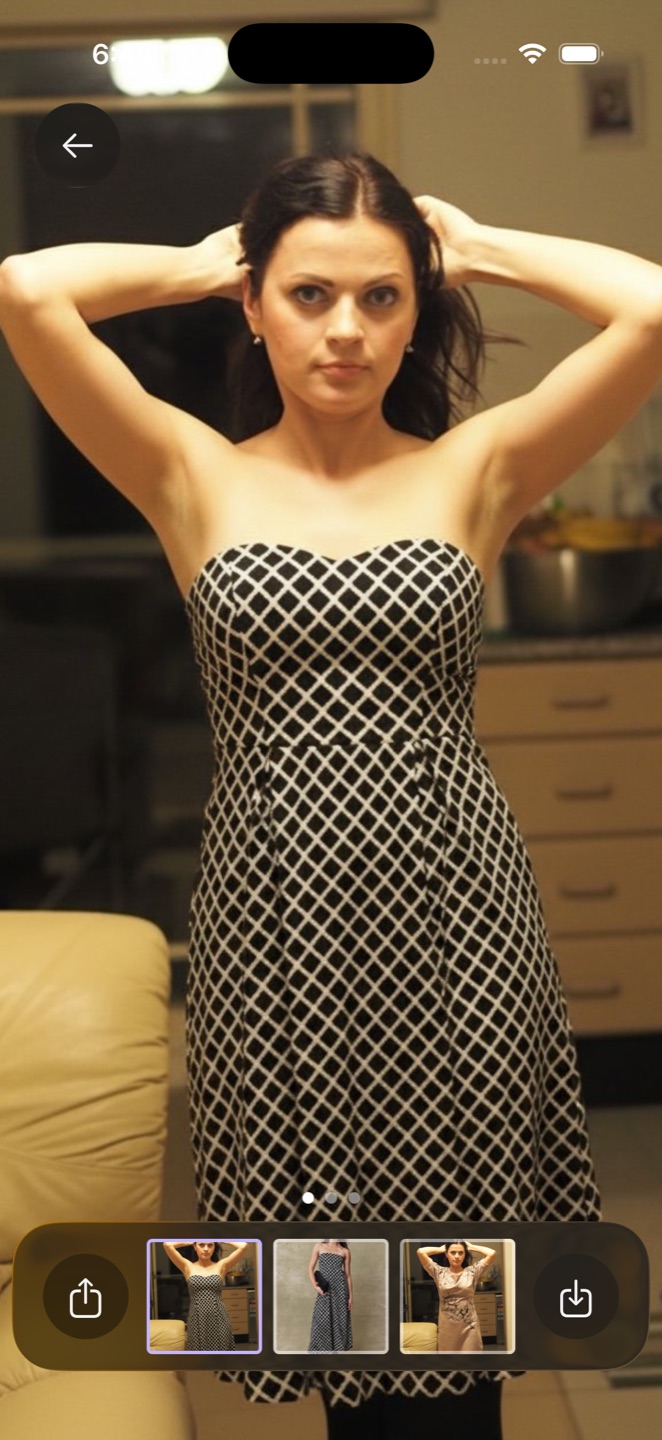
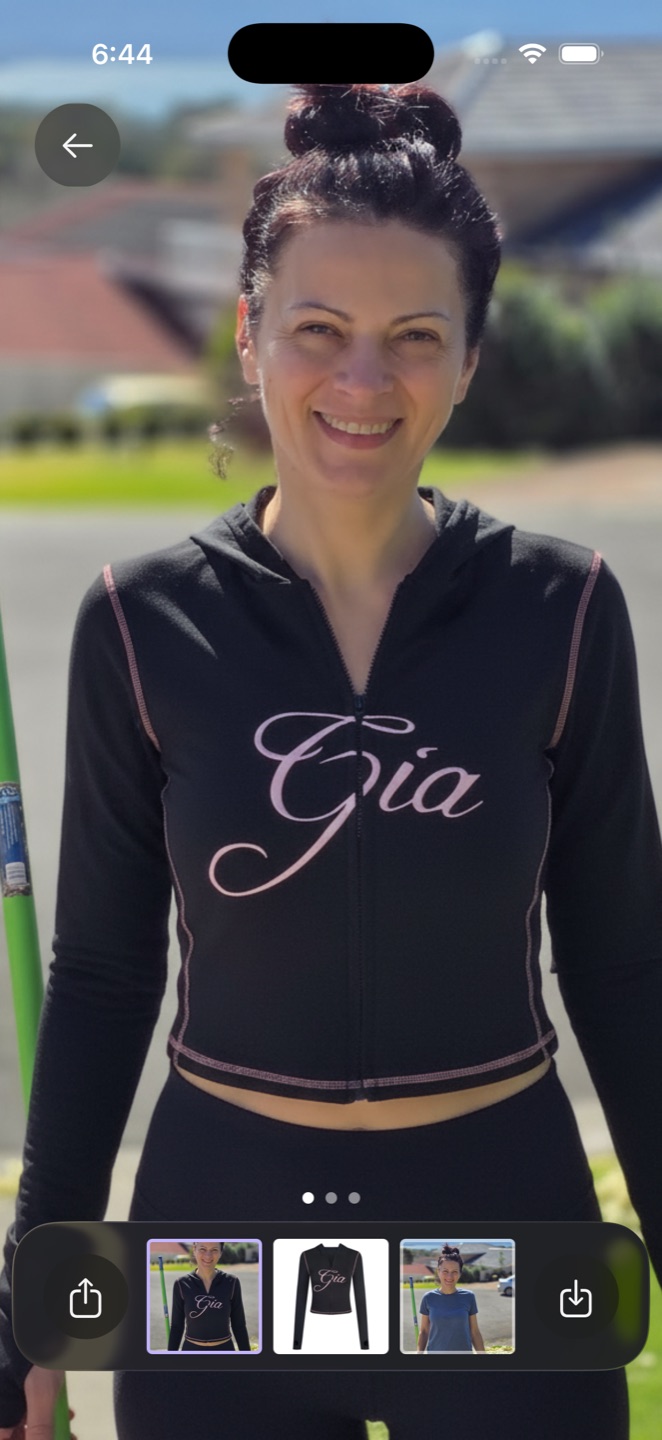
Three steps, no fitting room.
Snap a selfie
Or pick one from your library. One clear photo is all Stylor needs.
Add the outfit
Photograph it, pull it from your camera roll, or share it straight from any shop.
Wear it
A photo-real try-on lands in seconds, saved to your gallery.
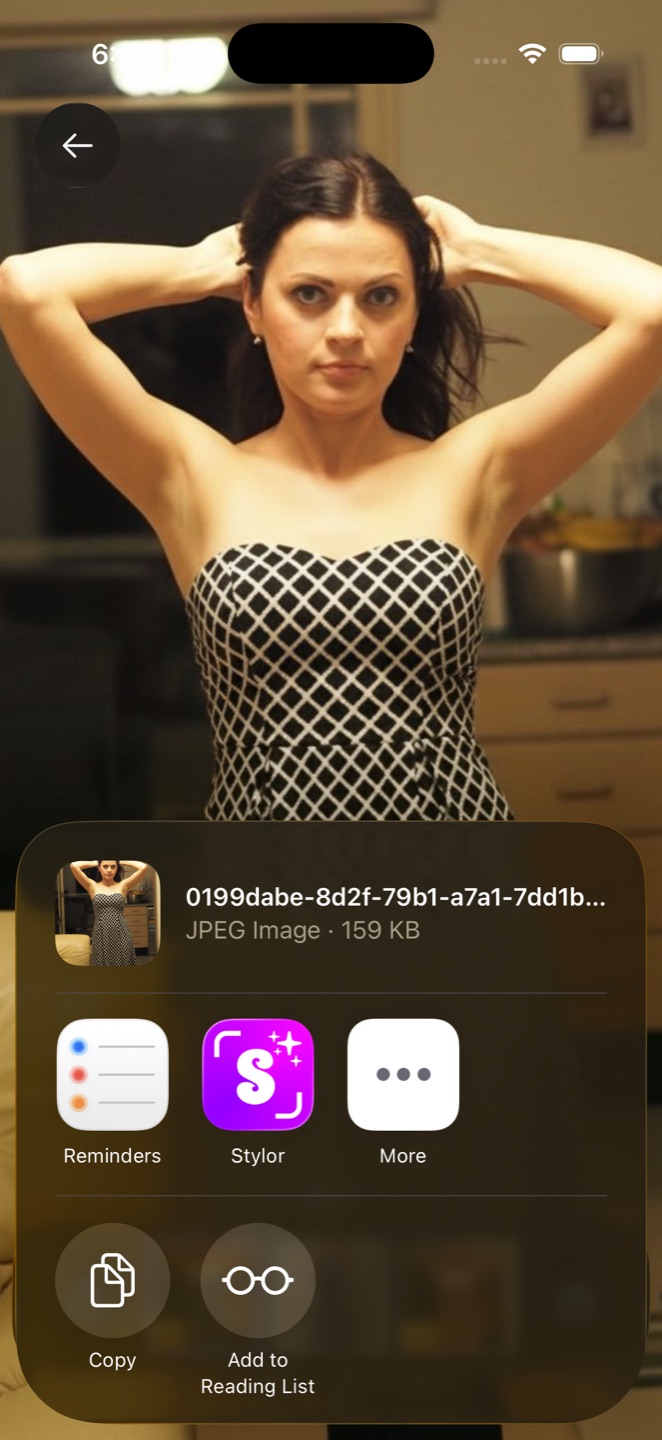
Spotted it while scrolling? Share it to Stylor.
No screenshots, no juggling apps. From Safari, Instagram, Pinterest, or any shopping app: tap Share, pick Stylor, and the outfit is on you before the page finishes loading.
Works anywhere the iPhone share sheet does.
Know before the package arrives.
Stop guessing from a model who is not you. Try the dress, the jacket, and the one you are not sure about, then order the winner.
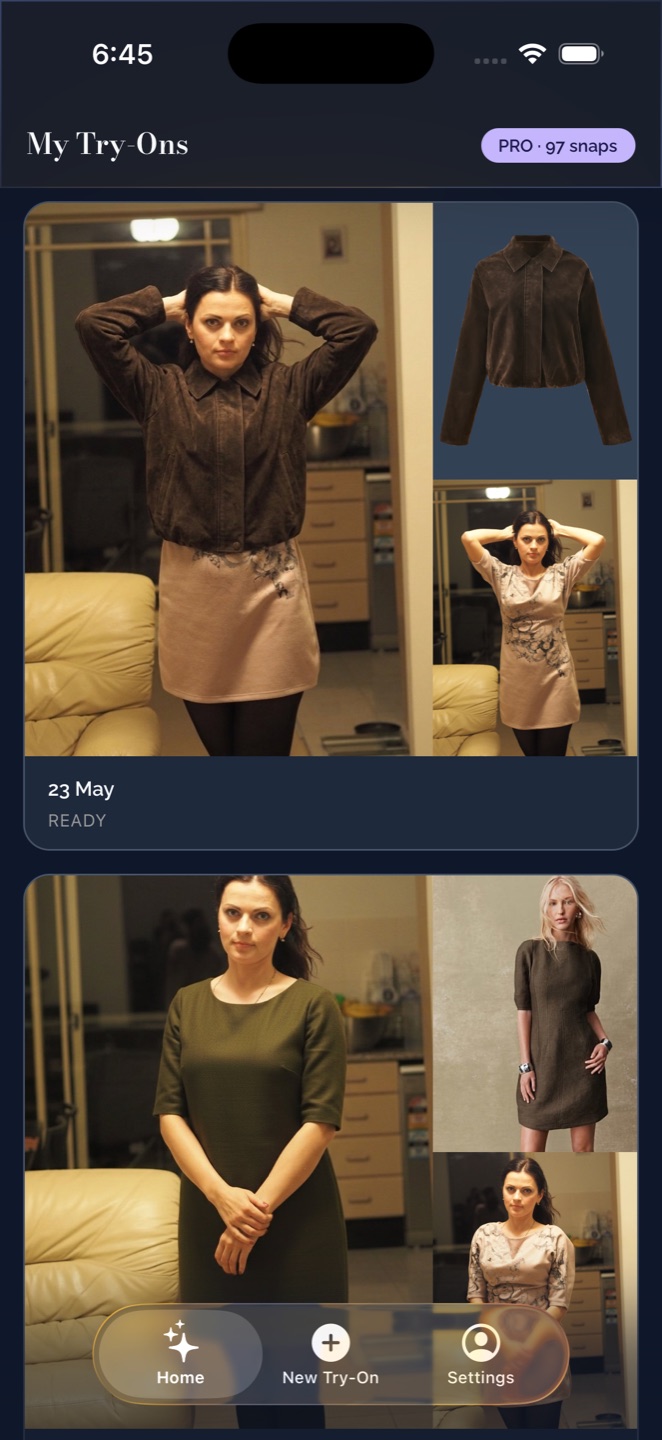
- My Try-Ons gallery. Every look you generate, kept side by side for comparing.
- Rate My Look. An honest score for any outfit, with what works and what to change.
- Save and share. Export looks to your photo library or send them to the group chat.
What it costs.
The app is free, and your first 5 snaps are included. After that, top up with a recharge pack when you need one, or keep a plan running.
See Stylor on the App Store →| Free | 5 snaps included |
|---|---|
| Recharge packs | |
| 25 snaps | $4.99 |
| 65 snaps | $12.99 |
| 175 snaps | $29.99 |
| Plans | |
| Basic plan | $12.99 per month |
| Pro plan | $29.99 per month |
| Billed through your App Store account. | |
Questions, answered.
How real do the results look?
Stylor generates a photo of you wearing the garment: your face, your pose, the actual fabric and pattern. It is AI, so an occasional detail can land slightly off, and you can re-run a look until it is right.
What photos work best?
A clear, well-lit photo of you facing the camera, and a garment photo where the piece is fully visible. A product shot from a store works perfectly.
Can I try clothes from any store?
Yes. If you can see a photo of it, you can wear it: share the image to Stylor from Safari, Instagram, Pinterest, or any shopping app, or save it and add it from your library.
Is Stylor free?
The app is free to download and comes with 5 snaps. After that, try-ons use credits: top up with a recharge pack or a monthly plan, or earn credits by watching a short ad.
What happens to my photos?
Your photos are used to generate your try-ons and stay tied to your account. The full details are in our privacy policy, and you can request data deletion any time.
Is Stylor on Android?
Stylor is built for iPhone today; an Android beta is in progress.
Your next favourite look is already on you.
Free to download. Your first try-on is about a minute away.